
Part of the first home lab
Choose one compute tier
An alternative to the budget or advanced host. Match the actual configuration to your guests and services before buying.
A current retailer selection appears below.
As an Amazon Associate I earn from qualifying purchases.
Starter-build compatibility checks
- Match the existing SER5 PRO name to an exact CPU, RAM, storage and seller configuration.
- Confirm NIC chipset, supported operating systems and current firmware documentation.
- Check memory expansion, storage layout and virtualization settings against your hypervisor.
- Validate sustained thermals and real workload capacity on the chosen configuration; no lab benchmark is supplied.
The existing Gear Room listing supplies the model name. Beelink support is a starting point for exact-model documentation, not evidence for this listing configuration. Checked 2026-10-31.
Buying notes
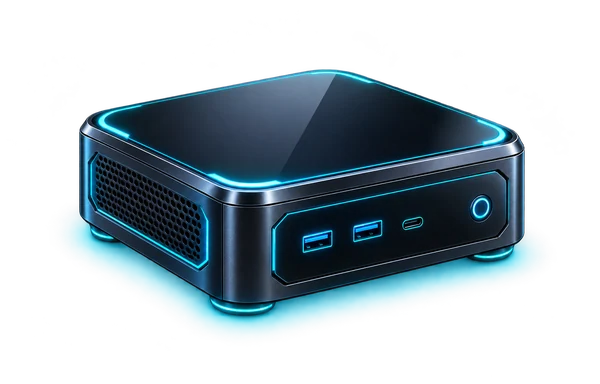
Beelink SER5 PRO Mini PC / AMD Ryzen 5
A small-form-factor compute option for Linux services, test environments, and focused lab workloads. Check memory expansion, storage layout, virtualization support, and sustained thermals for your VM plan.
View on Amazon (paid link)Opens a new tab. Check current pricing, configuration and terms.
The short verdict
Start with the job.
A SER5 PRO is a candidate for a compact Linux or virtualization lab when the exact unit has the CPU, memory, storage and network support your plan requires. Buy the configuration, not the family name, and separate a learning host from an assumed production server.
Documented facts
What the sources establish
Beelink provides model-specific support and downloads, but this catalog title does not resolve a complete SER5 PRO configuration. Proxmox publishes separate CPU, memory, storage and network requirements; x86 full virtualization requires suitable CPU and motherboard virtualization support. Those requirements are a planning baseline, not certification of a particular Beelink unit or NIC. [1] [2]
A practical fit
Best for
- A compact host for a defined set of Linux services or test VMs.
- Learning Proxmox or Docker with a backup plan and access to a recovery console.
- A build where the verified configuration fits the memory and storage budget.
Choose differently when
Avoid if
- You require ECC memory, redundant power, remote management or a vendor-certified production platform without checking those requirements.
- You need several fast NICs, internal drives or add-in cards that the exact chassis does not provide.
- You are choosing a memory or SSD upgrade from another SER5 model’s specifications.
Compare the approach
Choose by the constraint.
| Your situation | Direction to compare | The deciding check |
|---|---|---|
| A few Linux services | Evaluate a conventional Linux host and Docker | Check supported OS/drivers, persistent storage and backup first. |
| Several separate operating systems | Evaluate Proxmox against the exact hardware | Allocate host overhead plus every guest’s RAM and storage; verify NIC and firmware support. |
| GPIO or an Arm-specific project | Compare a Raspberry Pi | The physical interfaces and software architecture are different. |
| Expansion or production resilience | Compare a larger or server-focused platform | Define NICs, drives, remote access and recovery requirements before accepting a small chassis. |
Before you choose a listing
Configuration & compatibility checklist
- Record the exact model label, CPU, RAM configuration, SSD model, operating system and warranty region.
- Obtain documentation and firmware for that unit from Beelink support; do not flash a similar model’s BIOS.
- Confirm virtualization options in firmware and compatibility with the current hypervisor release.
- Identify the NIC chipset and test the installer/network path before moving services.
- Verify memory generation, module format, slot count and supported capacity for that exact revision.
- Verify M.2 protocol/length, any additional drive bay and physical thermal clearance before buying upgrades.
- Budget RAM and storage for the host plus guests, keep backups off the machine, and plan recovery access.
Other paths
Alternatives worth comparing
- A Raspberry Pi fits a different decision: Arm-compatible services and board interfaces rather than conventional PC expansion.
- A larger desktop or used workstation is a comparison when memory, storage and add-in expansion dominate the requirements.
- A server-oriented platform is the relevant comparison when resilience, remote management or a documented support contract is essential.
Know the limits
What remains unverified
SER5 naming is not enough to establish a CPU SKU, memory ceiling, SSD layout or supported operating system. We did not validate this merchant unit’s NIC, BIOS, idle power, acoustics, thermals or Proxmox installation.
No current price, seller inventory, affiliate attribution, benchmark, rating or purchase outcome is verified by this note. Check the exact configuration at the destination.
Primary references
Sources & research date
Build the whole system
Keep following the decision.
These are workload-fit research notes. Confirm specifications, availability and platform terms at the linked destination.
Back to the Gear Room