
Part of the first home lab
Optional utility node
Useful for keeping a small utility separate from the main compute host. You can also run a supported service on your chosen host instead.
A current retailer selection appears below.
As an Amazon Associate I earn from qualifying purchases.
Starter-build compatibility checks
- Verify the exact CanaKit SKU and contents; 8GB does not identify the cooler, power supply or storage bundle.
- Match the Pi 5 power supply, active cooling, enclosure and boot media.
- Check Arm64 support for each OS, container image and dependency.
- Plan persistent data and restore media; an SD card or SSD is not a separate backup.
Raspberry Pi documents the Pi 5 platform, power and cooling accessories. The contents of the existing CanaKit retailer listing are not verified. Checked 2026-10-31.
Buying notes
CanaKit Raspberry Pi 5 Kit / 8GB
A compact starting point for always-on services, sensor work, lightweight automation, and small Linux experiments. Check the workload, cooling, storage, and power budget before making it a serious host.
View on Amazon (paid link)Opens a new tab. Check current pricing, configuration and terms.
The short verdict
Start with the job.
Choose the Pi for an Arm-compatible service, GPIO project or compact learning node. Compare the complete kit with a mini PC before making it your general-purpose virtualization host: storage, cooling, power and software architecture matter as much as the board.
Documented facts
What the sources establish
Raspberry Pi identifies the Pi 5 as a 64-bit Arm Cortex-A76 platform and recommends a suitable 5V/5A USB-C supply and active cooling for best performance. PCIe storage needs a separate M.2 HAT or adapter. CanaKit lists several 8GB configurations with different storage, cases, cooling and cables; the word “kit” does not establish the contents of this particular listing. [1] [2] [3]
A practical fit
Best for
- Small Linux services whose software and container images support Arm64.
- Sensor, GPIO and automation projects that benefit from the board interface.
- A focused learning node with a planned backup and recovery path.
Choose differently when
Avoid if
- You need a specific x86-only program, appliance image or VM without checking its architecture.
- You expect the board price to cover every accessory and persistent-storage requirement.
- You need large memory expansion, several internal drives or add-in cards.
Compare the approach
Choose by the constraint.
| Your situation | Direction to compare | The deciding check |
|---|---|---|
| Arm-ready service or GPIO project | Pi 5 kit | Confirm the OS, image architecture and accessory list first. |
| Several conventional desktop/server VMs | Compare an x86 mini PC | Match the current hypervisor requirements, RAM and storage to the actual guests. |
| Write-heavy service data | Plan storage and backup explicitly | A faster storage device is not a backup; include the adapter, enclosure and recovery media. |
| Existing working service host | Keep it until a limit is clear | A new board is useful when it removes a measured constraint or enables the project. |
Before you choose a listing
Configuration & compatibility checklist
- Read the exact 8GB kit SKU and included-parts list: board, case, cooler, supply, card or SSD, reader and display cables.
- Choose a supported Pi 5 OS; verify Arm64 support for every required image and dependency.
- Confirm the USB-C supply specification and a Pi 5-compatible cooling/case combination.
- For an M.2 drive, identify the required HAT/adapter, physical clearance and supported storage interface.
- List persistent service data, backups and a tested restore procedure before moving workloads.
- For a hypervisor, compare the exact Pi CPU and installer with the current release requirements; generic Arm support is not a Pi compatibility guarantee.
Other paths
Alternatives worth comparing
- A mini PC is the first comparison when standard server VMs, upgradeable memory and conventional PC software are the priority.
- An existing PC is a useful learning host when you already own it and can accommodate its size and running cost.
- A microcontroller such as the Cardputer serves embedded interfaces and sensors; it has a different software model from a Linux host.
Know the limits
What remains unverified
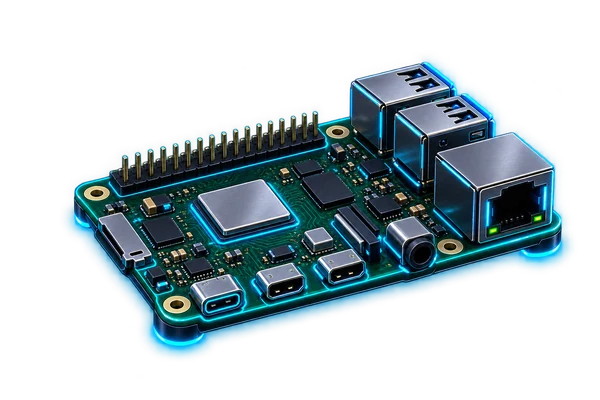
The existing affiliate title identifies 8GB but not the complete CanaKit configuration. No specific bundled storage, cooler, workload capacity, power draw or performance result is established here. The diagram is illustrative.
No current price, seller inventory, affiliate attribution, benchmark, rating or purchase outcome is verified by this note. Check the exact configuration at the destination.
Primary references
Sources & research date
Build the whole system
Keep following the decision.
These are workload-fit research notes. Confirm specifications, availability and platform terms at the linked destination.
Back to the Gear Room