
Buying notes
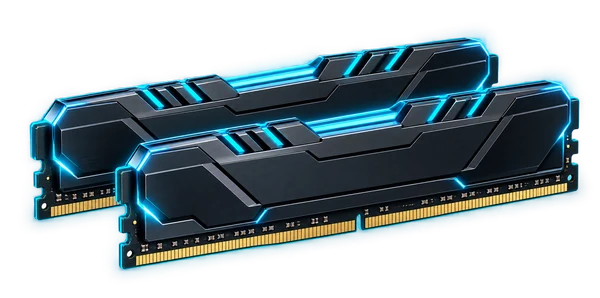
CORSAIR Vengeance DDR5 / 32GB (2 × 16GB)
Memory headroom changes what a lab can keep open at once: VMs, containers, browsers, local models, and creative tools. Confirm the platform, speed, capacity limits, and matched-kit requirements first.
View on Amazon (paid link)Opens a new tab. Check current pricing, configuration and terms.
The short verdict
Start with the job.
A 32GB memory upgrade is useful when the workload is running out of RAM and the exact kit matches the system. Treat capacity, module format and platform validation as the first checks; advertised speed is a later decision, not a compatibility guarantee.
Documented facts
What the sources establish
Corsair recommends checking the motherboard memory QVL and its compatibility finder against the full kit SKU. Corsair also explains that DDR5 is not backwards compatible with DDR4, and recommends against combining separate memory kits. “Vengeance DDR5 / 32GB” does not identify a DIMM/SO-DIMM format, module count, speed, latency or profile support. [1] [2] [3]
A practical fit
Best for
- A compatible system with observed memory pressure from VMs, containers or large applications.
- A planned build with a documented memory SKU and motherboard/CPU support.
- Replacing a capacity-constrained kit with a validated configuration.
Choose differently when
Avoid if
- The machine uses DDR4, another module format or soldered memory without the required expansion support.
- You expect two separately purchased kits to behave as one validated kit.
- You need a larger working set than 32GB or are trying to solve a storage/CPU bottleneck.
Compare the approach
Choose by the constraint.
| Your situation | Direction to compare | The deciding check |
|---|---|---|
| Memory pressure is the bottleneck | Prioritize adequate supported capacity | Measure the workload and leave headroom for the host and concurrent applications. |
| Capacity is already sufficient | Investigate the actual bottleneck | A faster kit may not address the reason the task feels slow. |
| Keep an old kit and add another | Compare replacing with one matched kit | Corsair’s guidance does not treat separately validated kits as one combined guarantee. |
| Mini PC or laptop upgrade | Confirm module format and system limits | The Vengeance family name alone does not tell you whether the module will fit. |
Before you choose a listing
Configuration & compatibility checklist
- Copy the full kit part number, total capacity and module count from the listing.
- Verify DDR generation and DIMM/SO-DIMM format against the system or motherboard manual.
- Check the motherboard QVL or system compatibility tool with that exact SKU and CPU generation.
- Confirm total supported capacity, slot population rules and cooler/enclosure clearance.
- Check JEDEC and XMP/EXPO support for the platform; do not assume an advertised profile is enabled or stable by default.
- Prefer a validated matched kit over mixing separate kits, following the manufacturer’s guidance.
- After installation, verify detected capacity and stability with your own tests before trusting important workloads.
Other paths
Alternatives worth comparing
- A larger supported kit is a comparison when the planned VM or application working set already exceeds 32GB.
- A compatible kit listed by the system or motherboard vendor may be a better fit than a faster unverified SKU.
- A host with a higher supported memory ceiling is the next comparison when the existing platform cannot meet the workload.
Know the limits
What remains unverified
The preserved affiliate title does not expose an exact Corsair kit part number. Module format, timings, rated speed, profile support and compatibility with any specific mini PC or motherboard are unverified; no memory benchmark or stability result is claimed.
No current price, seller inventory, affiliate attribution, benchmark, rating or purchase outcome is verified by this note. Check the exact configuration at the destination.
Primary references
Sources & research date
Build the whole system
Keep following the decision.
These are workload-fit research notes. Confirm specifications, availability and platform terms at the linked destination.
Back to the Gear Room