
Buying notes
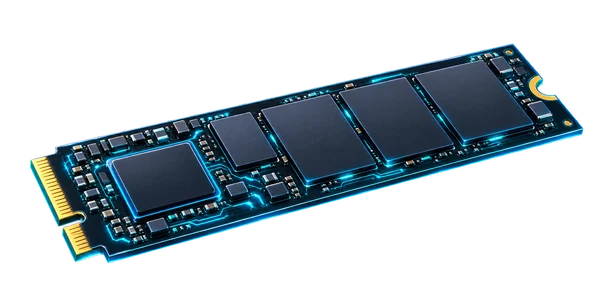
Samsung SSD 9100 PRO / 1TB
Fast local storage for an appropriately equipped system. Validate the motherboard lane, thermals, heatsink clearance, and whether the real workflow benefits from PCIe 5.0 bandwidth before prioritizing the upgrade.
View on Amazon (paid link)Opens a new tab. Check current pricing, configuration and terms.
The short verdict
Start with the job.
Treat the 9100 PRO as a platform-specific storage upgrade. It is worth comparing when your machine can expose the interface and your workload has a storage constraint; a high-end drive cannot fix insufficient capacity, an unsuitable slot or a missing backup.
Documented facts
What the sources establish
Samsung specifies the 9100 PRO family as PCIe 5.0 x4, NVMe 2.0, in M.2 2280 form. The family includes 1TB versions with and without a heatsink. Samsung directs buyers to confirm host PCIe 5.0 support to maximize performance. The family name alone does not identify the heatsink variant or establish performance inside a particular machine. [1]
A practical fit
Best for
- A compatible desktop or workstation with a documented storage-heavy workflow.
- A planned boot/data upgrade where M.2 slot wiring and physical cooling space are known.
- A build where storage capacity, backup and thermals have been considered together.
Choose differently when
Avoid if
- The host has a SATA-only slot or its storage protocol has not been checked.
- A different bottleneck, such as memory pressure or the network, is limiting the task.
- You need more capacity or redundancy and would sacrifice those needs for a speed label.
Compare the approach
Choose by the constraint.
| Your situation | Direction to compare | The deciding check |
|---|---|---|
| Gen5-capable host with a storage bottleneck | Compare the 9100 PRO | Check slot lanes, cooling and the demands of the actual job. |
| Older or bandwidth-limited host | Compare an appropriate lower-tier NVMe drive | Read the host manual for supported protocol/generation and compatibility. |
| Running out of space | Compare larger-capacity options | Capacity and usable free space may matter more than peak sequential figures. |
| Critical service data | Design backup and recovery first | A single fast SSD does not provide redundancy or a restore plan. |
Before you choose a listing
Configuration & compatibility checklist
- Match the exact 1TB model code, heatsink option, seller and warranty region.
- Confirm the motherboard or system supports an NVMe M.2 2280 device in the intended slot.
- Read the slot lane/generation diagram and any sharing rules with other storage or expansion devices.
- Measure heatsink and enclosure clearance and check the host cooling instructions.
- Plan cloning or reinstall media, encryption-key recovery and a backup before swapping the drive.
- Use official firmware/support guidance and check tool/OS support for the exact model.
- Assess temperatures and sustained behavior in your own enclosure; no such test is supplied here.
Other paths
Alternatives worth comparing
- A compatible Gen4 NVMe drive is a useful comparison if the host or workload cannot use the higher interface bandwidth.
- A larger drive may be the better comparison when projects, models or service data are filling the current device.
- Separate backup storage addresses recovery needs; it is a different purchase decision from the working SSD.
Know the limits
What remains unverified
The existing merchant link is preserved, but its current exact SKU, heatsink bundle and warranty were not independently verified. No benchmark, endurance outcome, power draw or thermal result from this lab is claimed.
No current price, seller inventory, affiliate attribution, benchmark, rating or purchase outcome is verified by this note. Check the exact configuration at the destination.
Primary references
Sources & research date
Build the whole system
Keep following the decision.
These are workload-fit research notes. Confirm specifications, availability and platform terms at the linked destination.
Back to the Gear Room