
Buying notes
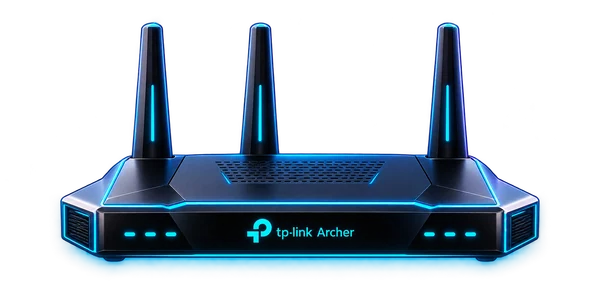
TP-Link BE6500 Dual-Band Wi-Fi 7 Router
A network-edge candidate for a growing home lab. Compare coverage, client compatibility, wired uplink needs, and how it fits beside the firewall, VLANs, DNS, and access policy already running in the room.
View on Amazon (paid link)Opens a new tab. Check current pricing, configuration and terms.
The short verdict
Start with the job.
Consider this router when the job is a compatible dual-band wireless upgrade with a suitable wired backhaul. Plan its role beside OPNsense or another firewall before buying: access point mode and router mode create different network layouts.
Documented facts
What the sources establish
TP-Link identifies the US Archer BE400 as a BE6500 dual-band Wi-Fi 7 router using 2.4 GHz and 5 GHz, not 6 GHz. The published port layout is one 2.5 Gbps WAN, one 2.5 Gbps LAN and three 1 Gbps LAN ports. TP-Link lists router and access point modes, and notes that Wi-Fi 7/MLO features require compatible clients. Confirm the listing is this model and hardware region. [1] [2]
A practical fit
Best for
- An existing firewall/router design that needs a separately planned wireless access point.
- Compatible clients and a wired LAN capable of benefiting from the available uplink.
- A home network where dual-band operation meets the actual coverage and capacity needs.
Choose differently when
Avoid if
- Your buying requirement is specifically a 6 GHz wireless band.
- You need managed-AP VLAN/SSID behavior without verifying the manual for the exact mode and firmware.
- You expect a Wi-Fi class label to equal an internet speed or a measured speed at your desk.
Compare the approach
Choose by the constraint.
| Your situation | Direction to compare | The deciding check |
|---|---|---|
| Keep OPNsense as the network edge | Evaluate access point mode | Confirm DHCP/NAT responsibility and the exact wired topology. |
| Replace the current all-in-one router | Evaluate router mode | Review ISP authentication, WAN handoff and existing forwarding/VPN needs. |
| Use 6 GHz clients on that band | Compare a 6 GHz-capable alternative | Dual-band Wi-Fi 7 does not imply a third band. |
| Segment several SSIDs into VLANs | Compare a managed access point | Verify documented VLAN behavior instead of inferring it from guest-network marketing. |
Before you choose a listing
Configuration & compatibility checklist
- Match Archer model, region and hardware revision with the applicable support manual and firmware.
- Draw the ISP → firewall/router → switch → access point path and assign DHCP/NAT to the intended device.
- Check required WAN/LAN port speeds, cable runs and any upstream bottleneck.
- Confirm each important client supports the band and features you intend to use.
- Read the manual for access point mode, guest isolation, VLAN/SSID needs, IPv6 and management access.
- For mesh, check supported combinations and firmware; do not assume interchangeable behavior across vendors.
- Keep a copy of the working network configuration and a rollback path before changing the edge.
Other paths
Alternatives worth comparing
- A managed access point is the closer comparison when OPNsense already handles routing and VLAN-aware Wi-Fi is the main requirement.
- A 6 GHz-capable router or access point is the relevant comparison when that band is an explicit requirement.
- Improved access point placement or a wired connection may address the immediate problem without replacing the router.
Know the limits
What remains unverified
The affiliate title does not independently prove an Archer hardware revision, region or installed firmware. Coverage, throughput, roaming, VLAN behavior and compatibility with your OPNsense setup have not been measured or validated here.
No current price, seller inventory, affiliate attribution, benchmark, rating or purchase outcome is verified by this note. Check the exact configuration at the destination.
Primary references
Sources & research date
Build the whole system
Keep following the decision.
These are workload-fit research notes. Confirm specifications, availability and platform terms at the linked destination.
Back to the Gear Room